ArtFlicks Flows
Direct the whole film. Shot by shot.
Describe any video. Flows writes the brief, builds every image, clip, voice line and song as a flow you can see, then renders the finished film. Fix any shot without starting over.
Made with Flows
Every film here was made end to end in Flows. Pick a kind of video to watch, or just describe yours and the agent picks the right skill for it.
The artist lip-syncs every line. Flows writes the song and lyrics, or uses the track you upload.
An agent that directs. Skills that know the craft.
The Flows agent is your director. Skills are its playbooks. It loads the one that fits your idea and follows it at every step, from the Brief to the last shot.
The Flows agent
Reads everything you give it
Your idea or script, documents page by page, the photos you add, and your website for its brand colours, font and logo.
Asks instead of guessing
When something is missing, it asks a few short questions with ready answers, all at once, then carries on.
Builds the flow live
You watch every image, clip, voice line and song appear on the canvas. Each edit is checked before it is saved.
Checks its own work
Before handing the flow to you, it checks it against every rule of its skills and fixes what does not pass.
Skills
A playbook per kind of video
A music video, a product reveal and a micro-drama are made differently. Each skill carries how that kind of film is really made.
Shapes the Brief
The skill decides what the Brief plans, like the move of every shot in a product reveal, before anything is generated.
Film craft underneath
Cinematography, consistency, narration and motion guides sit under every skill, so each shot is directed, not just prompted.
A fresh-eyes review
The Brief is reviewed against the skill’s checklist. Craft issues are fixed for you; story choices come back to you.
Your cast, sets and props. Made once, used in every shot.
The Flows agent plans every recurring character, place and object as its own image, then connects it to each keyframe and clip it appears in. That is how faces, places and products stay the same from the first scene to the last.
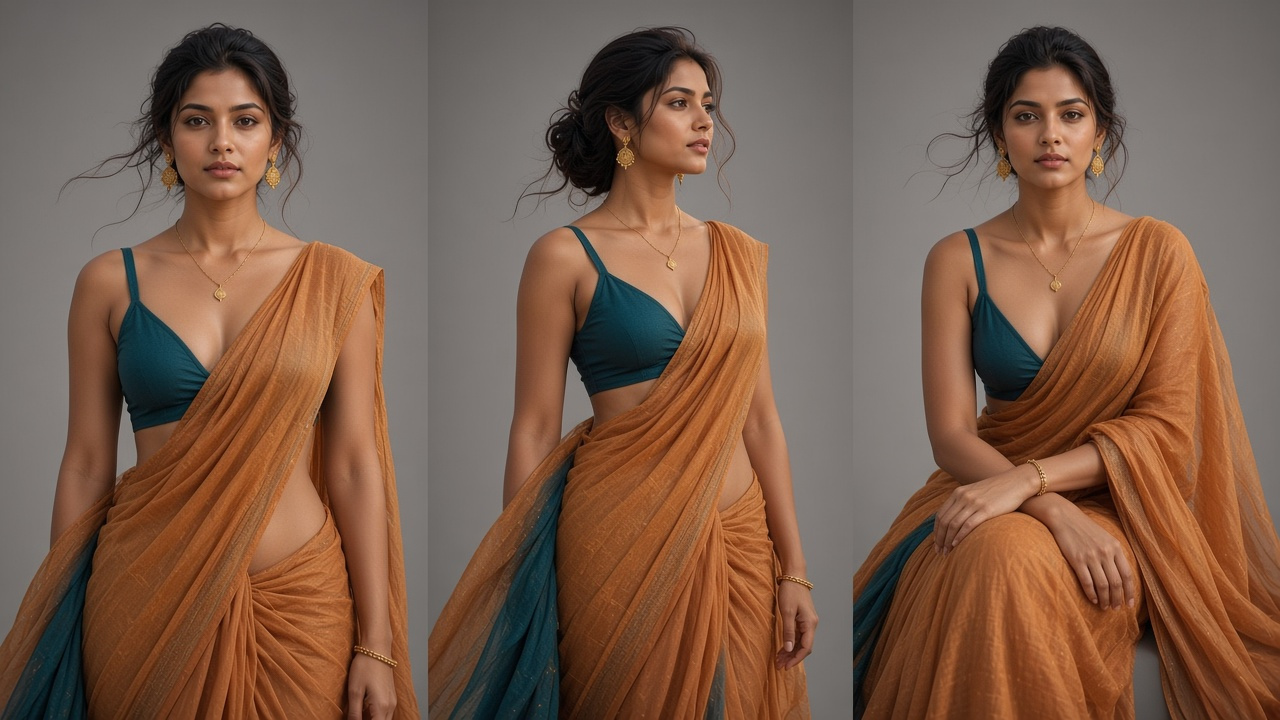
Character sheets
One sheet per character with several views, made from your photo or from the story. Every shot of that person is filmed from it.
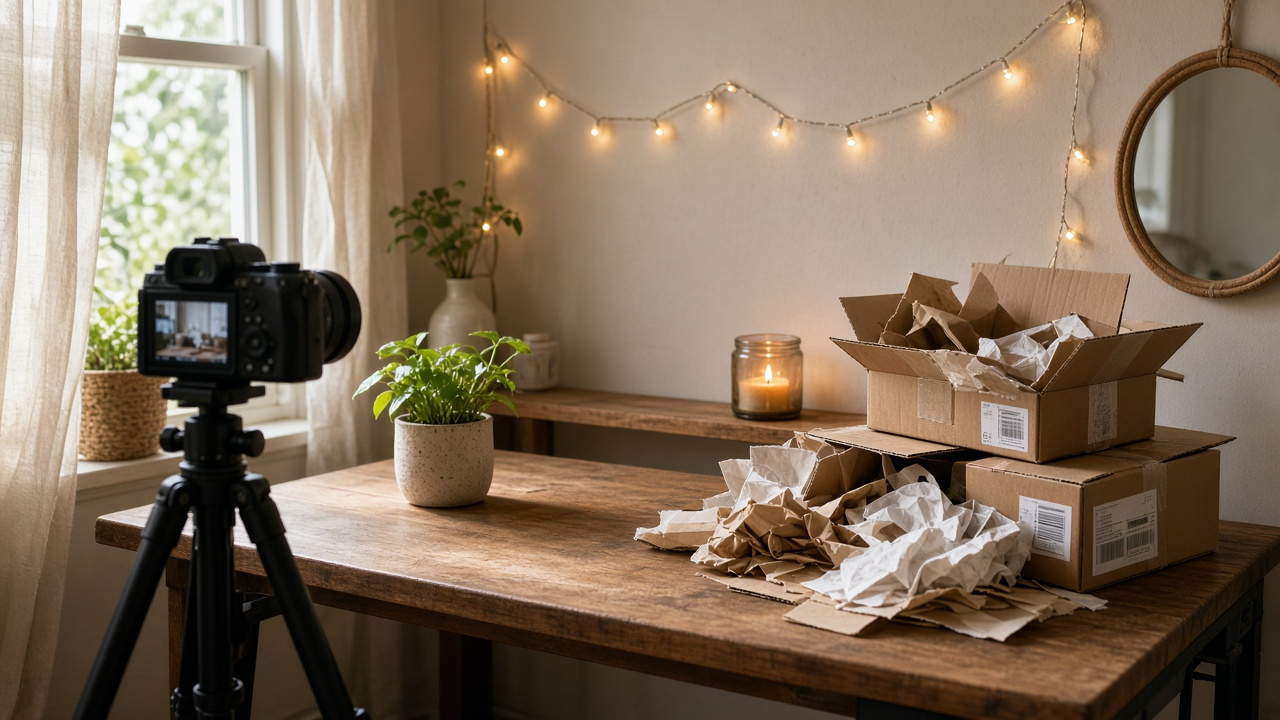
Environments
A wide establishing view of each place in its own light and time of day, so the set in the first shot is the same set in the last.
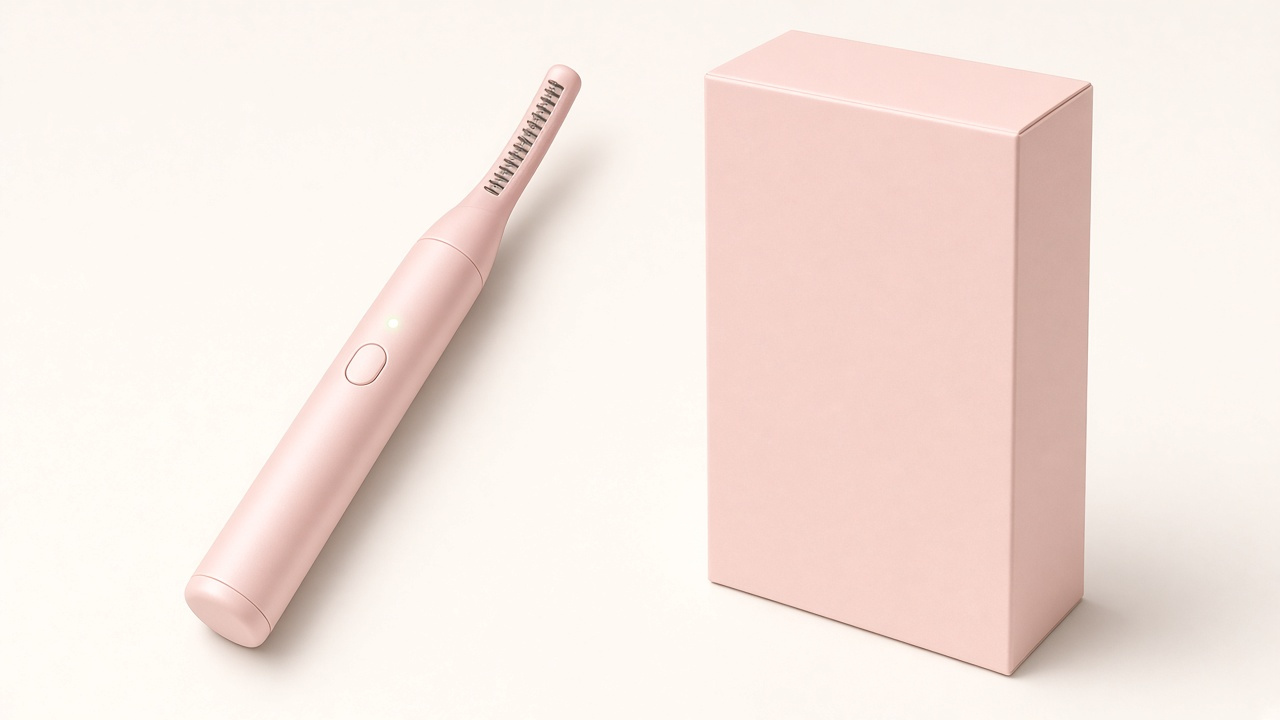
Props and products
A clean reference view of every object that matters, with its exact colours and shape, so your product looks the same in every shot.
All three come from the UGC ad in the showcase above: one creator, one desk and one product, reused in every shot.
Already have them? Bring your own.
Upload photos or add them from My Assets: people, places, products, logos and style references. The agent builds from your images instead of inventing new ones, and keeps each person in the outfit from their photo.
You direct.
The agent does the work.
From idea to MP4, three steps are yours. Everything in between is done by the Flows agent, out in the open on your canvas.
- You
1Describe your video
One sentence, a script or a document. Add photos if you have them.
Flows agent- Reads your idea, documents, photos and website
- Picks the skill that fits the film
- Writes the Brief: story, cast, look and every shot
- Reviews it against the skill’s checklist
- Asks only what it cannot decide for you
- You
2Approve the Brief
Change anything in plain words, or approve it as it is.
Flows agent- Plans every character sheet, set and prop
- Composes every keyframe, clip, voice line and song
- Connects each one to what it is made from
- Checks the whole flow against every rule of its skills
- You
3Run it and render
Run one shot or the whole film with the price shown first, then render an MP4.
Flows agent- Changes any shot you ask for in chat
- Leaves every other shot as it was
- Sets captions in the style you pick
Then finish it frame by frame.
The agent gets you to a first cut fast. Open it in the timeline to make it exactly yours. Every edit is saved in the same flow, so the canvas and the cut stay one project.
Trim to the exact frame
Pull the start or end of any shot in and out, one frame at a time.
Reorder and hide shots
Drag shots into a new order, or hide one from the cut without deleting it.
Text, images and motion
Add titles, logos and motion graphics, then move, resize, rotate and fade them. They stay attached to their shot.
Cut out the person
Lift a person out of a shot to layer them over anything else.
Captions and music
Pick a caption style, use the generated song or your own track, and set its volume.
Render and publish
Render the MP4 with your watermark and publish it straight from the editor.
The same face in every shot
Your characters and products are made once and feed every keyframe and clip, so they stay consistent from the first scene to the last.
Nothing hidden
Every step of the film is a node you can open, read and change. No black box, no regenerating the whole video to fix one moment.
You see the price first
Each paid step shows its credit cost before it runs, and you are only charged for results that are delivered.